
Big Ambitions Workshop and Blueprints
8,000 community layouts. One rule: know what a checkout needs before you subscribe.
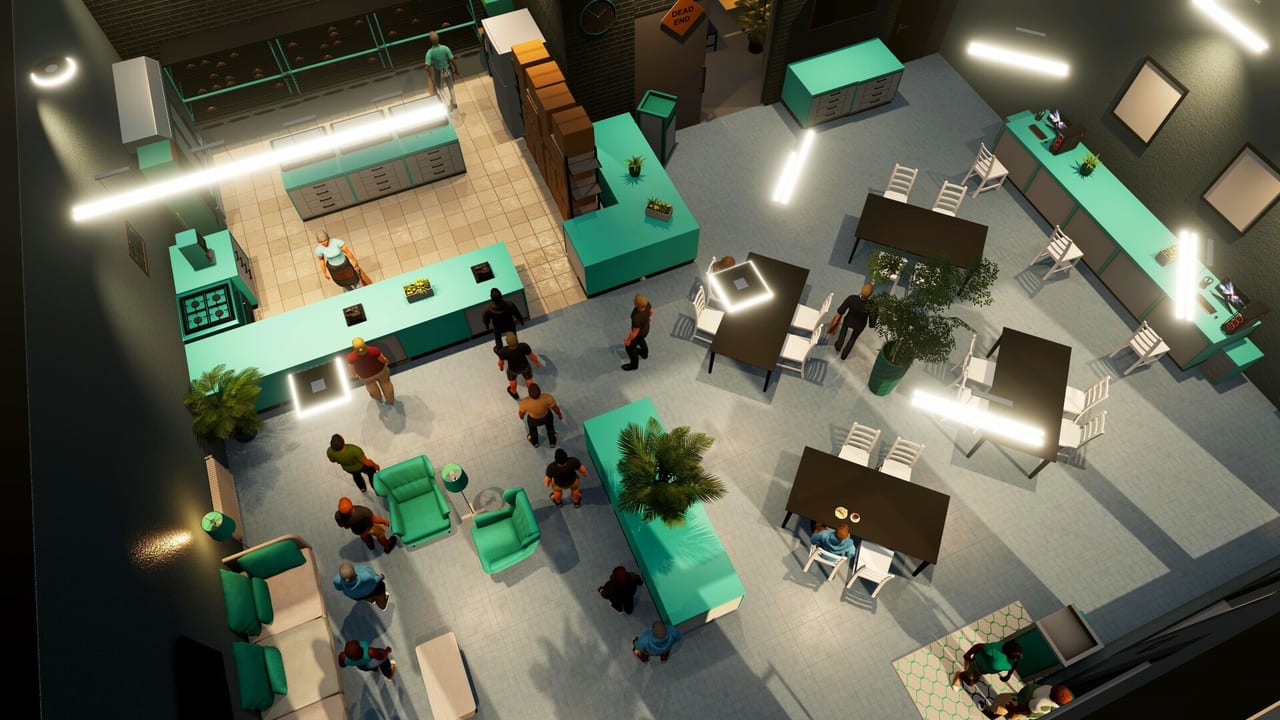
Steam Workshop is how long Big Ambitions saves stay sane. 0.11 “The Workshop Awakens” made mods first-class, filtered blueprints by game version, and shipped a Competitive line of interior-firm layouts with bathrooms, lockers, and cleaning stations for every business type and size. 1.0 did not take that away. This page is the furniture highway next to controls and getting started.
Single-player: a workshop file will not run your shop. It will stop you spending a Tuesday night aligning fridges. If a 0.10 blueprint ghosts workstations, filter by a newer version or rebuild. Opening blueprints in 0.11 migrated files in a one-way step — do not expect an old branch to open a new file.
Blueprints versus mods
Blueprints are building layouts. Subscribe on Steam, then install in-game at an interior installation firm. Kristian Bahood still handles a lot of retail from Hell’s Kitchen. Stonegood Architecture in Industry City handles warehouse and factory defaults. Kingdom-style office firms cover HQ shells. Competitive-line retail from 0.11 is the “just make it legal” option: toilets, lockers, cleaners, every size.
Mods are Unity add-ons enabled from the main menu. 0.11 killed the old third-party loader dance. Hovgaard shipped a sample pack. Workshop currently lists hundreds of mods and thousands of blueprints (retail is the bulk; factories and warehouses are the rest). Enable mods on a copy of a save. A broken analytic plugin is not worth a 200-hour file.
You can preview custom blueprints at the firm’s kiosk. Subscribe, and 0.9+ already recognized the library without a second in-game download. Edit and re-upload without creating a duplicate Steam item when you fix a missing toilet.
When to subscribe versus build
Build the first shop by hand. You need to feel why a checkout wants space, why a cleaner needs a station, why a 15-customer room dies. Then subscribe. A 100% interior-score supermarket in an M1 is a gift after you understand the score. It is a trap if you still think marketing beats customer cap.
Use Competitive defaults when you are opening shop four tonight and cannot face another mousepad. Use a specialist factory blueprint only after factories makes sense: input, machine ratio, output, belts. Ghost stations were stripped in 0.11; if you still see ghosts, the file is old.
HQ desks still want a real kit even if a pretty office blueprint looks done. Duplicate the workstation (desk, chair, PC, pad) with the blueprint creator’s duplicate tool. Headquarters cares about sitting, not wallpaper.
Creator tools that matter
The blueprint creator from 0.9 is the real 1.0 workflow: drop items, duplicate full kits with shift, hide walls, filter by version. Storage shelves now work in warehouses and factories, so a retail shelf file can donate racking. Default layouts include bathroom lights after 1.0 — add them to cave-like community files.
Name workstations in BizMan after install so logistics and HR are not “Desktop 3.” 1.0 also shows customer capacity and placement rules on store items (some pieces must sit on a cabinet). Read the tooltip before you subscribe to a nightclub that cannot place a register.
Safety
- Filter by 1.0 / 0.11. A 0.3 hairdresser file is archaeology.
- Subscribe one file, install, walk the pathing, then subscribe ten more.
- Keep a vanilla save. Mods first, blueprints second if you are cautious; blueprints only if you just hate furniture.
- Do not install a factory blueprint into a C2 gift shop. Size codes exist.
- Workshop is not a cheat for demand. Market Insider still decides if jewelry is a genius idea. See the tier list.
A practical loop
- Hand-build shop one.
- Subscribe a Competitive layout for shop two’s size and type.
- Edit in the creator: extra storage, named desks, lights.
- Re-upload if the edit is yours; leave a comment if you used someone else’s ratio.
- Factory files only after a warehouse already feeds the chain.
- Mods last, on a copy, after 1.0 feels stable.
Furniture is not the game. The game is demand, cap, staff, supply. Workshop is how you stop the furniture from pretending it is the game. For 0.11’s official pitch, the embedded trailer is enough. For Hamptons homes and new sofas, jump to housing. For launch-day interior tooltip and bathroom-light notes, use version 1.0.
Frequently Asked Questions
Quick answers to the most common questions.
Are Steam Workshop blueprints safe in Big Ambitions 1.0?
Blueprints are layouts, not save eaters. Filter by version, preview at the firm, walk pathing. Use mods only on a copy of a save.
What did 0.11 change?
Official Workshop mods, version filters, Competitive retail blueprints with toilets and lockers, and no more ghost factory stations.
Should a beginner subscribe on day one?
No. Build one shop by hand so you understand checkouts and caps. Then subscribe for shop two.
Where do I install a blueprint?
At an interior installation firm after you subscribe on Steam. Retail, warehouse, factory, and office firms are different contacts.