
Big Ambitions Controls
Keyboard, mouse, and the phone that runs New York when you are not at the till.
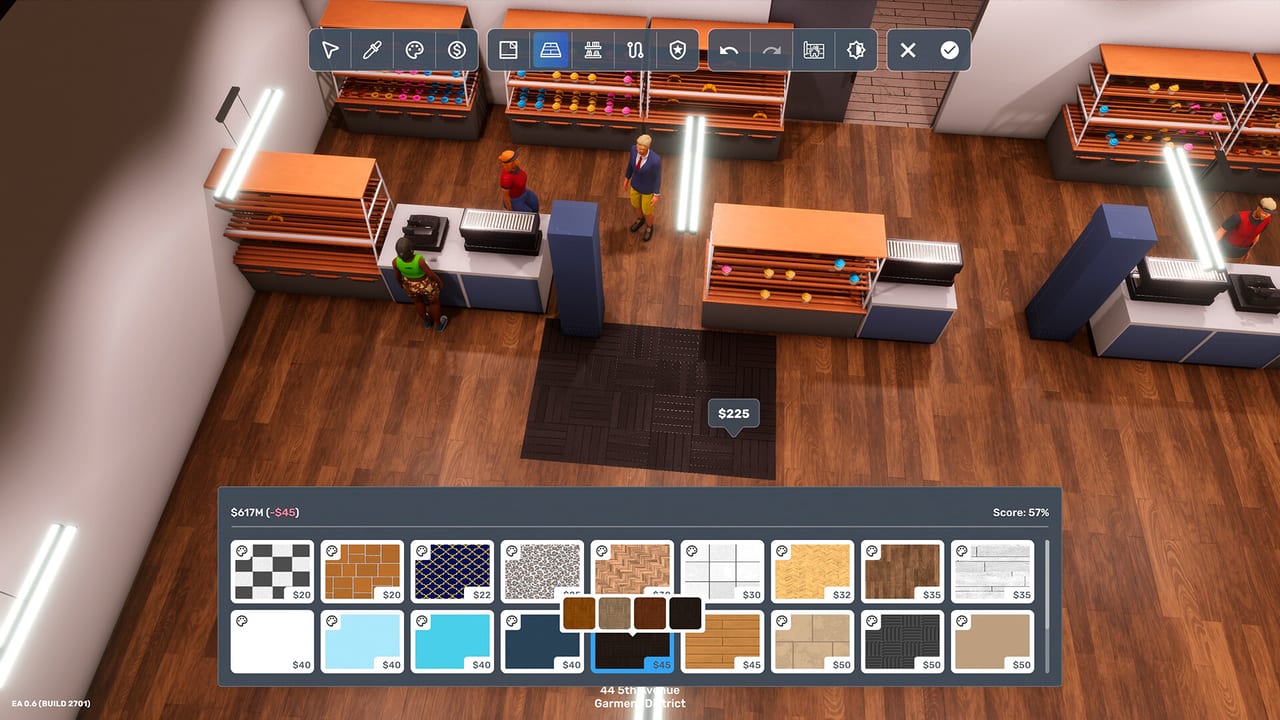
Big Ambitions is a third-person / isometric hybrid on PC. You walk a character through a compressed Manhattan, then dive into menus that would feel at home in a classic tycoon. This page is the interface guide: movement, camera, the phone, map filters, and interior designer. Bindings can be remapped in settings — if a key below does nothing, open the control screen and check the current map.
If you came here because the city feels unreadable, also skim system requirements. A low frame rate makes camera control feel like a bug.
Movement and camera
WASD or arrow keys move the character. Mouse aims the camera in third person. Sprint with Shift when you are late to a wholesaler (you will be). Interact is typically E or the on-screen prompt on doors, tills, clerks, and vehicles. Enter/exit vehicles from the prompt; you cannot teleport a van.
Scroll wheel zooms. A slightly pulled-out camera helps in shops; a closer camera helps on crowded sidewalks. There is no combat, so “controls” really means “how fast can I get to the next clerk.” Sprint drains stamina in spirit if not always on a bar — pair it with sleep from the getting started loop.
Controller support exists in menus for some players, but the game is built around keyboard, mouse, and a lot of list UIs. Steam Deck is listed as unsupported. Play on a desktop if you can.
The phone is the real HUD
Tab or the phone key opens the apps that actually run the company:
- Market Insider — demand, providers, class mix, local events. This is how you pick shop two. Use it before every lease, alongside the neighborhood ranking.
- BizMan / business overview — buildings you own, 7-day averages, which shop is quietly dying.
- Econoview — the honest profit number the tutorial means when it says “revenue.”
- Contacts — recruiters, wholesalers, banks, advertisers. Talk to a clerk once in person to populate this list.
- Map — filters for rentals, specials, subway, active businesses, rivals.
Call people during their business hours. A recruiter will not pick up at 1 a.m. just because you remembered to hire. That rule is why HQ weekday hours matter in the headquarters guide.
Map filters worth leaving on
Color-code neighborhoods (Garment District, Hell’s Kitchen, Murray Hill, Midtown, Lower Manhattan, Industry City, The Hamptons). Toggle rental spaces when hunting a cap/traffic combo. Toggle special buildings when you need a bank or dealer. Toggle active businesses when you are about to overlap demand. The rival list is not decoration — it is who you might buy later.
Parking zone flags matter if you drive. A high-traffic shop with nowhere to unload becomes a walking sim again.
Interior designer
This is the furniture mode: place tills, shelves, desks, beds, lockers, decorations. Toggle walls when you cannot see a clipped chair. Apply after a batch of moves, not after every lamp. Duplicate (with Shift in the 0.9+ blueprint tools) copies a full workstation — desk, PC, chair, pad — which is how HQ stops taking an evening.
Blueprints live in the main menu. Subscribe on Steam Workshop, then recognize them in-game without redownloading in a second UI if the 0.9+ hookup is working. Edit and re-upload without creating a duplicate workshop item. Use a retail blueprint for shops and a Stonegood warehouse blueprint for depots; do not force a cafe kit into a factory.
Menus that steal your day
Schedules, prices, and marketing campaigns are list work. Do them in pauses. The simulation continues to care about your character’s sleep even if you are “just fixing one more shift.” If you are lost in menus at 3 a.m. in-game, you will wake up exhausted and miss the wholesaler window.
Advertising firms (cheap digital versus billboard) are contacts, not map props. Pricing colours live on the product in the shop UI. Both are explained in how to make money.
Accessibility and sanity
There is a lot of small UI text. Play on a monitor, not a couch TV. Pause exists — use it. Custom game mode can start you with full energy; story mode still wants the tired-morning lesson once. If you hate furniture, Workshop is not cheating; it is how most long saves survive.
Once movement and phone apps are muscle memory, go back to the guides hub and pick a systems page. Controls will not make a bad location profitable. They will make a good location less of a commute.
Frequently Asked Questions
Quick answers to the most common questions.
What are the default Big Ambitions movement keys?
WASD to walk, mouse to look, Shift to sprint, and E (or the on-screen prompt) to interact. Remap in settings if needed.
How do I open Market Insider?
From the phone / tablet apps (often Tab). Talk to clerks in person first so contacts and some apps have data.
Can I play Big Ambitions on a controller or Steam Deck?
The design is mouse-and-keyboard heavy. Steam lists Steam Deck as unsupported. See system requirements.
How do I copy a desk setup?
Use the blueprint duplicate tool introduced with the 0.9 furniture pass: copy a complete workstation instead of placing each object.